
Browser and desktop apps
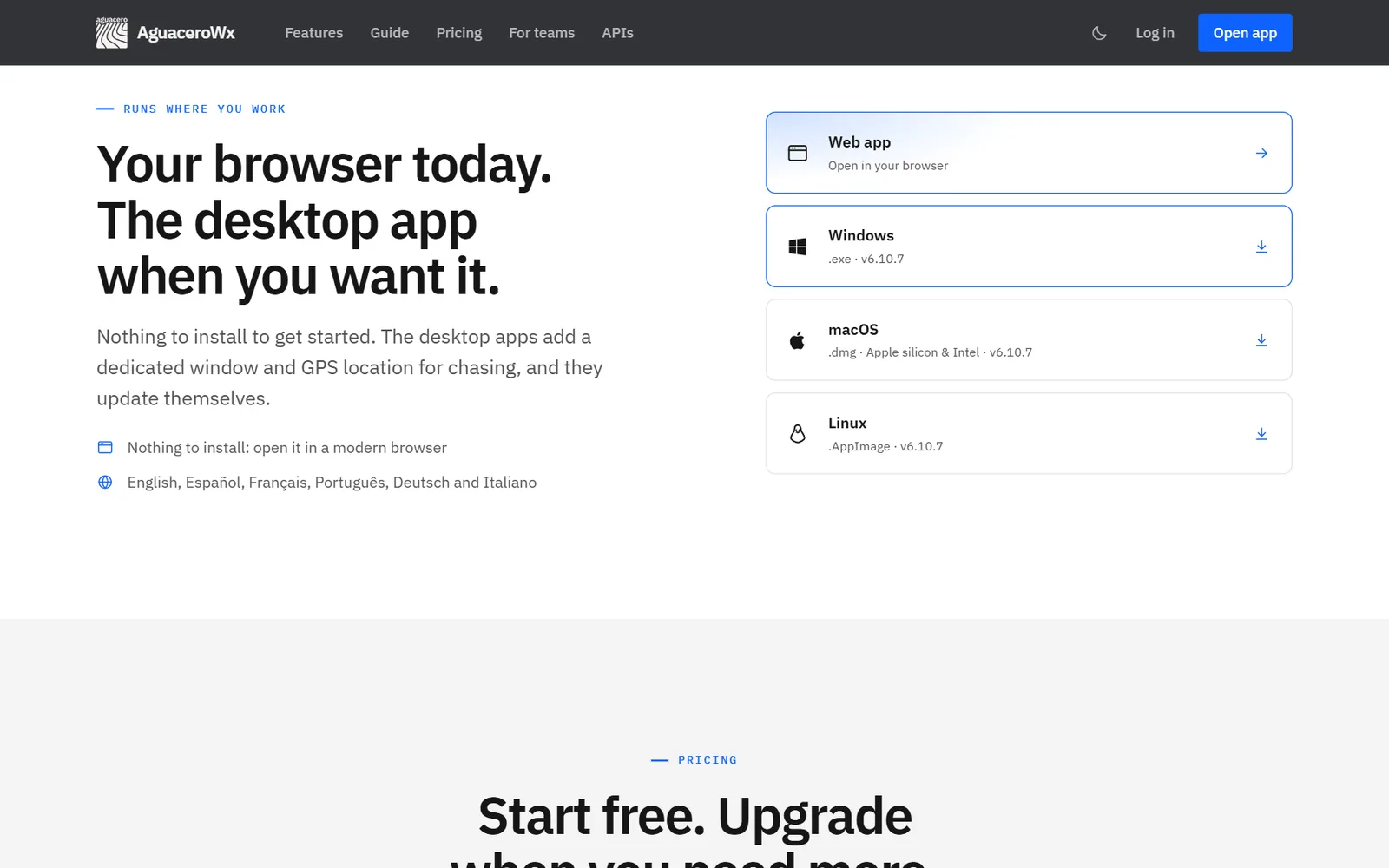
Use AguaceroWx in any modern browser, or install the desktop app for Windows, macOS or Linux. The desktop apps update themselves, use native compute for radar, contours and 3D, and can read a GPS receiver.
- Open the AguaceroWx home page.
- Click the download button at the top of the page, which names your system (for example Download for Windows), or pick Windows (.exe), macOS (.dmg, Apple silicon and Intel) or Linux (.AppImage) in the downloads list further down.
- Install the app and open it.
- Sign in with the same account you use on the web.
- When a new version is ready, click Install and Relaunch.
Tips
- To check for a new version yourself, open Help on the toolbar and click Check for Updates. This item only appears in the desktop app.
- Shared links can open straight in the desktop app: choose Open in desktop app when the link asks.
- Signed in, your settings and saved library follow your account between the browser and the desktop app.
Six languages
Use the app in English, Español, Français, Português, Deutsch or Italiano.
Show me in the app- Click Settings on the toolbar.
- Click Language in the settings list.
- Pick a language. Menus, buttons and settings change to it.
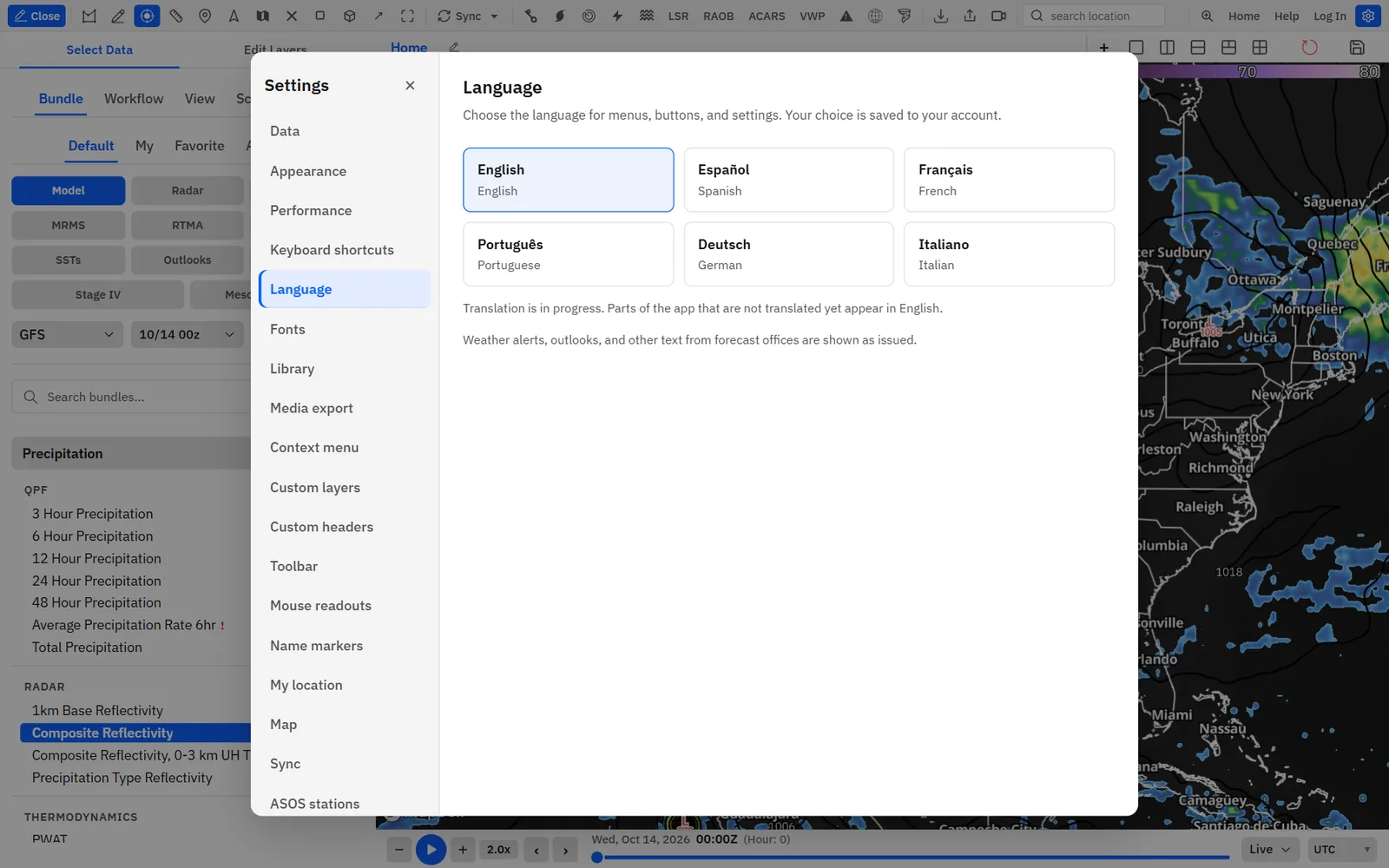
Translation is still in progress, so a few parts of the app stay in English. Alerts, outlooks and other text from forecast offices are shown as issued. When you are signed in, your choice is saved to your account.
Weather, Image and Visualization APIs
Build on the same data. The Weather API returns JSON, GeoJSON and NetCDF, the Image API renders saved bundles to images and video, and the Visualization API puts our layers in your own Mapbox, MapLibre or React Native map. Each has a free monthly tier.
- Read the overview and pricing at aguacerowx.com/api.
- Sign in, click Profile on the toolbar and open the API Hub tab.
- Add a payment method and mint a key for the API you need.
- Follow the docs for that API: /docs/weather-api, /docs/image-api, /docs/webgl or /docs/react-native.
Staying inside an API’s free monthly allowance costs nothing. Model keys and variable ids for every API are listed at /docs/variable-catalog.
Broadcast API
KML and KMZ weather layers that television graphics systems can load, quoted per station.
- Open aguacerowx.com/api and find Broadcast API.
- Click Request access to email us about your station.
- Read the docs at /docs/tv-api.
Quotes depend on station count, refresh cadence and the fields you need on air. GFS, ECMWF IFS and HRRR feeds are available today.
Team seats and a shared libraryCommercial
A Commercial license covers every device your team uses, gives each seat the full Professional and Creator toolkit, and shares one org library across the team.
- Go to aguacerowx.com/business.
- In the Talk to us form, fill in your name, organization, type of organization and team size.
- Tick Commercial license, plus anything else you need.
- Click Write the email. Your email app opens with the details filled in. Nothing is sent until you press send.
We scope seats, data integrations and any custom work with you, and can set up a pilot so your team can try it on live weather first. Custom headers, layers and your broadcast logo are shared across your team’s accounts.
Commercial also removes the AguaceroWx watermark and can include API access in the same contract.
Your data on the mapCommercial
Commercial customers can have their own locations and proprietary datasets plotted as private layers, with the same styling, loops and tools as our data.
- Go to aguacerowx.com/business.
- In the Talk to us form, tick Our own data in AguaceroWx.
- Describe your data under Anything else? and click Write the email.
Each integration is scoped with you as part of the contract. Site warnings and fleet GPS tracking are examples already built for customers.
University site licenses
A discounted site license gives a meteorology department Professional and Creator features on every device, for classrooms, labs and student weathercasts.
- Go to aguacerowx.com/business.
- In the Talk to us form, choose University or school as the type of organization.
- Tick University license and click Write the email.
University exports keep the AguaceroWx watermark.